
How to set up a word filter in a Telegram group
The bot deletes messages that contain certain words. How to build such a rule from several words, add synonyms and exceptions, and test it before it goes live.
Sooner or later every living chat starts repeating itself: “message me privately”, “selling an account”, crypto swap ads. Cleaning that up by hand is tedious, and keeping a moderator awake around the clock makes no sense — a word filter handles ads and spam instead: the bot deletes messages in which the expected words turned up.
In Scarabeus that filter is called phrase moderation. Unlike AI rules it does no guessing: either the rule found the words in a message, or it did not. That makes phrases a good fit where the wording is predictable and a mistake is expensive.
The builder looks like a set of fragments linked to each other. Below is what each link means, how they combine, and why the same rule sometimes behaves differently than you expect. Every “matches” and “skips” result below was run through the same engine that works inside the bot.
Where the word filter lives in a Telegram group#
Section Moderation → the “Phrase moderation” card. The card itself carries the switch that turns the whole block on and off, and the “Configure” button opens the rule sets.
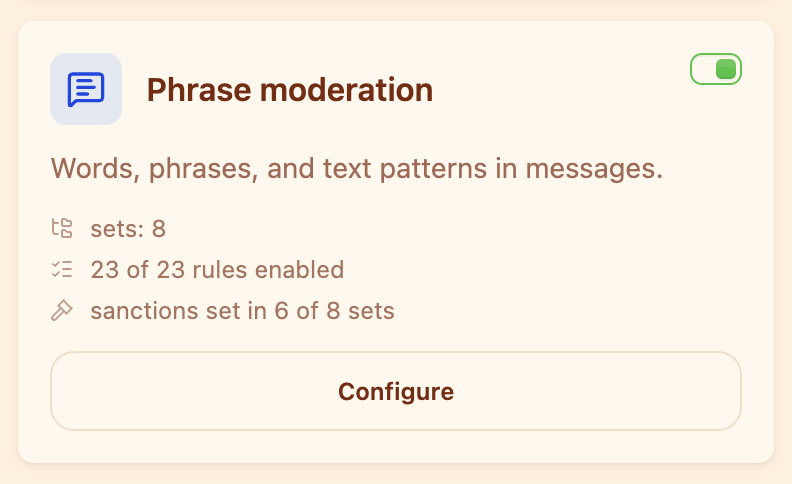
The summary on the card shows how many sets and rules are on, and in how many sets sanctions are still missing.
Rules live inside sets. A set is a themed batch: “Crypto”, “Channel ads”, “Profanity”. The split is not cosmetic: the sanction chain belongs to the set, so ads and insults can be punished differently and never mix their violation counters.
How to build your first rule#
Inside a set press “Add rule”. A rule is built from fragments of two kinds:
- phrase — the specific words to look for in a message;
- number — any run of digits, shown as “any number”.
Neighbouring fragments are always joined by a link — OR or AND. The “Add fragment” button appends the next piece, and “Group” merges neighbouring fragments into a group.
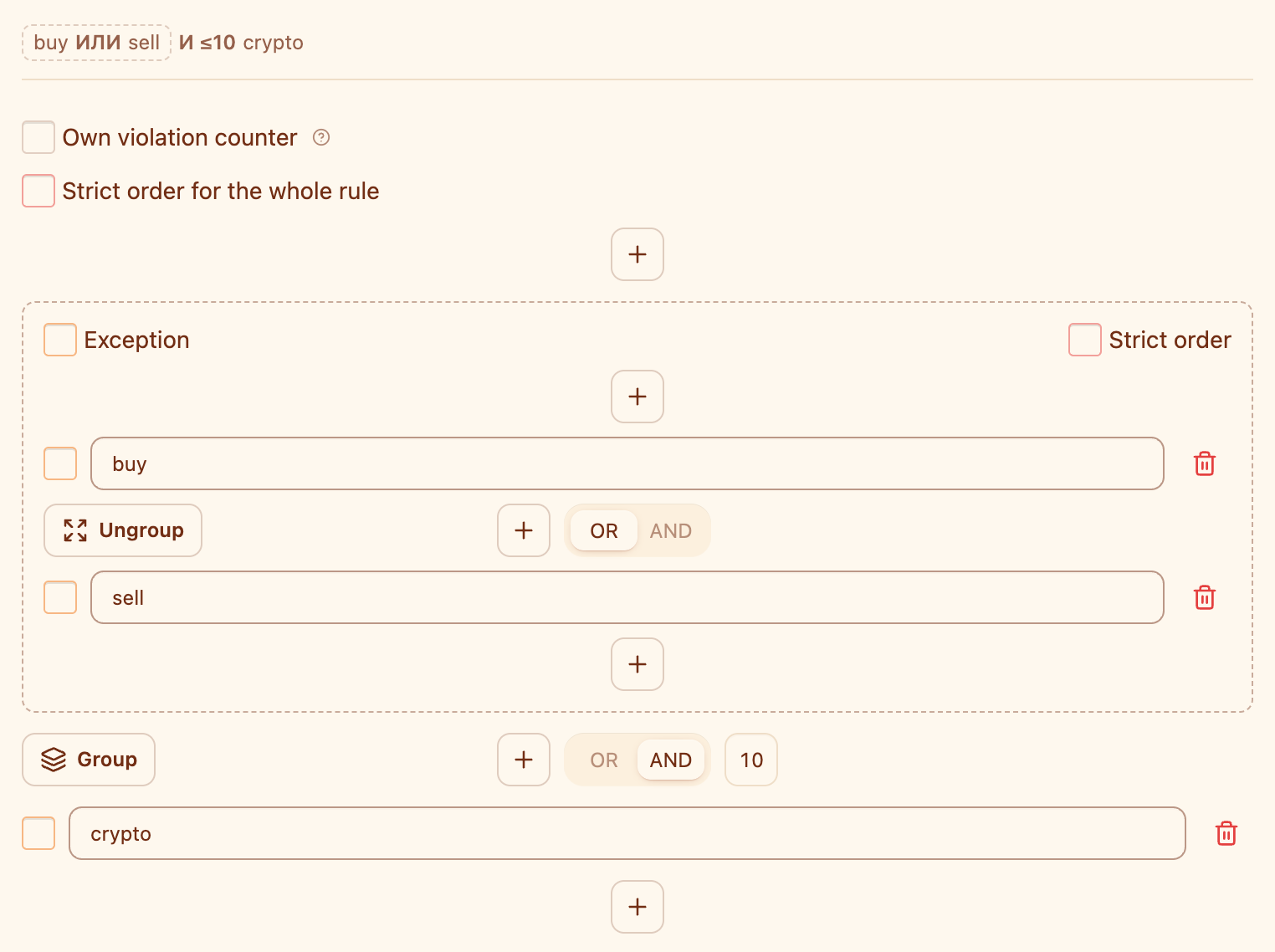
A preview sits at the top of the editor — it shows how the rule will actually be read.
Take the “Crypto” set as an example: a chat about board games has no use for currency exchange ads. The simplest working rule is a single phrase:
It catches direct ads and misses everything worded differently. That is where the builder starts to earn its keep.
AND — both parts must be in the message#
The AND link means both fragments have to occur in the text. Next to the link a field appears — “Up to n characters”, the maximum distance between them.
- Matches: “swap usdt at a good rate”.
- Matches: “usdt for swap” — without strict order it makes no difference which word comes first.
- Skips: “swap stickers happens every friday at our board game club, and questions about usdt belong in another chat” — more than 40 characters apart.
OR — any one of the parts is enough#
The OR link fires when at least one of the neighbouring parts is found:
- Matches: “buying a couch” — OR asks for nothing but one of the words, so a rule like this is broad.
- Skips: “trading cards”.
An important subtlety: OR binds tighter than AND. This rule:
reads as “swap or p2p — and usdt nearby”, not as “either swap, or p2p next to usdt”. Spelled out, the same thing looks like this:
- Skips: “swap stickers” — the word “swap” on its own catches nothing, it needs “usdt” nearby too.
- Matches: “p2p usdt” and “swap usdt”.
If you need a different grouping, select the parts with “Group”: the match is then looked for inside the group first, and only its result is linked to the remaining fragments. A rule may hold several groups, but a group inside a group is not allowed.
Number — any digits#
The “any number” fragment stands in for any run of digits: amounts, counts, identifiers. It belongs where the words are predictable and the digits are not:
- Matches: “selling for 500”, “giving away 2 pieces”.
- Skips: “selling advice” — no digits in it.
“Up to n characters”: two traps#
First: 0 means “no limit”, not “adjacent”. This is the most common mistake. With 0 the fragments merely have to occur somewhere in the message — the first line and the last one will do.
Second: the distance is counted on text that has already had its spaces removed.
- Matches: “notcrypto”, “not crypto” and “not crypto” — spaces are gone before matching, so in all three the distance is zero.
That is why the limit covers far more than it looks like on screen: 40 characters without spaces is roughly six or seven words.
Strict order#
By default the AND link ignores order — as in “usdt for swap” above. The “Strict order” checkbox demands that the parts appear left to right, exactly as they stand in the form. In a diagram strict order is marked with an exclamation mark:
- Matches: “buying usdt”.
- Skips: “usdt buying”.
Strict order can be switched on for the whole rule or for one group only.
Exceptions#
The “Exception” checkbox turns a fragment into a condition that cancels the match. An exception stays an ordinary part of the chain — with its own link, like every other part — and differs only in colour. What it cancels depends on its level.
An exception at the top level cancels the whole rule. The main part is matched first, and if it matched but the exception was also found somewhere in the message, the rule does not fire. Take the “Channel ads” set, where your own announcements must not be caught:
- Matches: “subscribe to the channel”.
- Cancelled by the exception: “subscribe to our channel”.
- Cancelled by the exception: “our channel: subscribe to the channel” — where exactly the exception turned up makes no difference.
If there are several “own” variants, put the exception on a whole group — then any of them cancels the match:
- Cancelled by the exception: “subscribe to the official channel”.
- Matches: “subscribe to the channel”.
An exception inside a group puts out that group only, while the other OR branches outside it keep working. How that plays out is in the combinations below.
One exception per level is allowed; nested exceptions are not.
Combinations: how the parts work together#
Single links are simple enough; surprises start when you combine them. And combinations are exactly what it takes to clear out ads and spam without touching ordinary conversation. Here are the main ones and how a rule reacts.
A group of AND inside OR#
A group can itself be an AND pair — then the whole group becomes one branch of the OR:
- Matches: “buying usdt” — the group fired.
- Matches: “any p2p here?” — the second branch fired, the group was not needed.
- Skips: “buying a couch” — the group is missing “usdt”, and there is no “p2p”.
A chain of three parts#
AND links can follow one another, each with its own distance. The rule fires only when every part is found:
- Matches: “selling telegram account”.
- Skips: “selling an account” — one part short.
Two groups joined by AND#
There can be more than one group — for instance synonyms on both sides:
- Matches: “p2p btc”, “swap usdt” — any word from the first group next to any word from the second.
- Skips: “swap stamps”.
Strict order without a distance limit#
Strict order and distance are independent. With zero the order matters and the gap does not:
- Matches: “swap stickers, and at the very end about usdt”.
- Skips: “usdt first, swap later”.
Strict order inside one group only#
Order can be demanded of a single group without binding the rest of the rule:
- Matches: “buying usdt”.
- Skips: “usdt buying” — the order inside the group is broken.
- Matches: “usdt buying via p2p” — the group did not fire, but the “p2p” branch did.
Number first#
A number can stand anywhere in the chain. Together with strict order it catches “amount, then currency” without touching the reverse:
- Matches: “500 usdt”.
- Skips: “usdt 500”.
An exception inside a group#
The subtlest case: the exception puts out its own group only, while a neighbouring OR branch lives its own life:
- Matches: “swap usdt” — the group fired, no exception in sight.
- Cancelled by the exception: “swap stickers” — the group is out, and the message holds no other branch.
- Matches: “swap stickers and p2p” — the group is out, but the “p2p” branch fired on its own.
Strict order and an exception#
An exception takes no part in the ordering: strict order applies to the main parts, while the exception is looked for across the whole message:
- Matches: “buying usdt”.
- Cancelled by the exception: “buying from you usdt”.
Why a rule behaves oddly: what happens to the text before matching#
This is the key section — half of the surprises are explained by it. Both the rule and the message are reduced to the same shape, and only then compared:
- the text is lowercased — case never matters;
- emoji are removed;
- punctuation and symbols are replaced by a space;
- letter swaps are recognised: in words that mix alphabets or mix letters with digits, the odd characters are folded back — “go0ds” is read as “goods”, and “cаnal” with a Cyrillic “а” as “canal”. A run of digits is left alone, so “100” stays “100” — and “g00ds” with two zeros in a row is not folded either;
- all spaces are removed.
Three consequences worth remembering:
- Matching is by substring, there are no word boundaries. The phrase
banis found inside “banana” and “urban”. Short phrases almost always need another word on an AND link, or a longer wording. - Spaces and punctuation inside a phrase do not matter. The rule
spamfires on “s p a m” and “s.p.a.m”. - A phrase made only of emoji or punctuation never fires — nothing is left of it after normalisation.
Test a rule before it goes live#
At the bottom of the editor there is the “Check rule” card. Paste a real message into “Text to check” and press “Check”.
It tests the draft currently open in the form — no need to save the rule. Nothing is sanctioned and nothing reaches the log. The answer comes in three kinds:
- “Text does not pass moderation” — the rule would have fired;
- “Text passes moderation” — it did not; below, the parts that were missing are listed: “Not found in text: …”;
- “Text passes moderation” with the exception highlighted — the rule fired but was cancelled by the exception.
The highlight shows the text after normalisation: no spaces, emoji or punctuation. It looks unfamiliar, but it shows exactly what the bot compares.
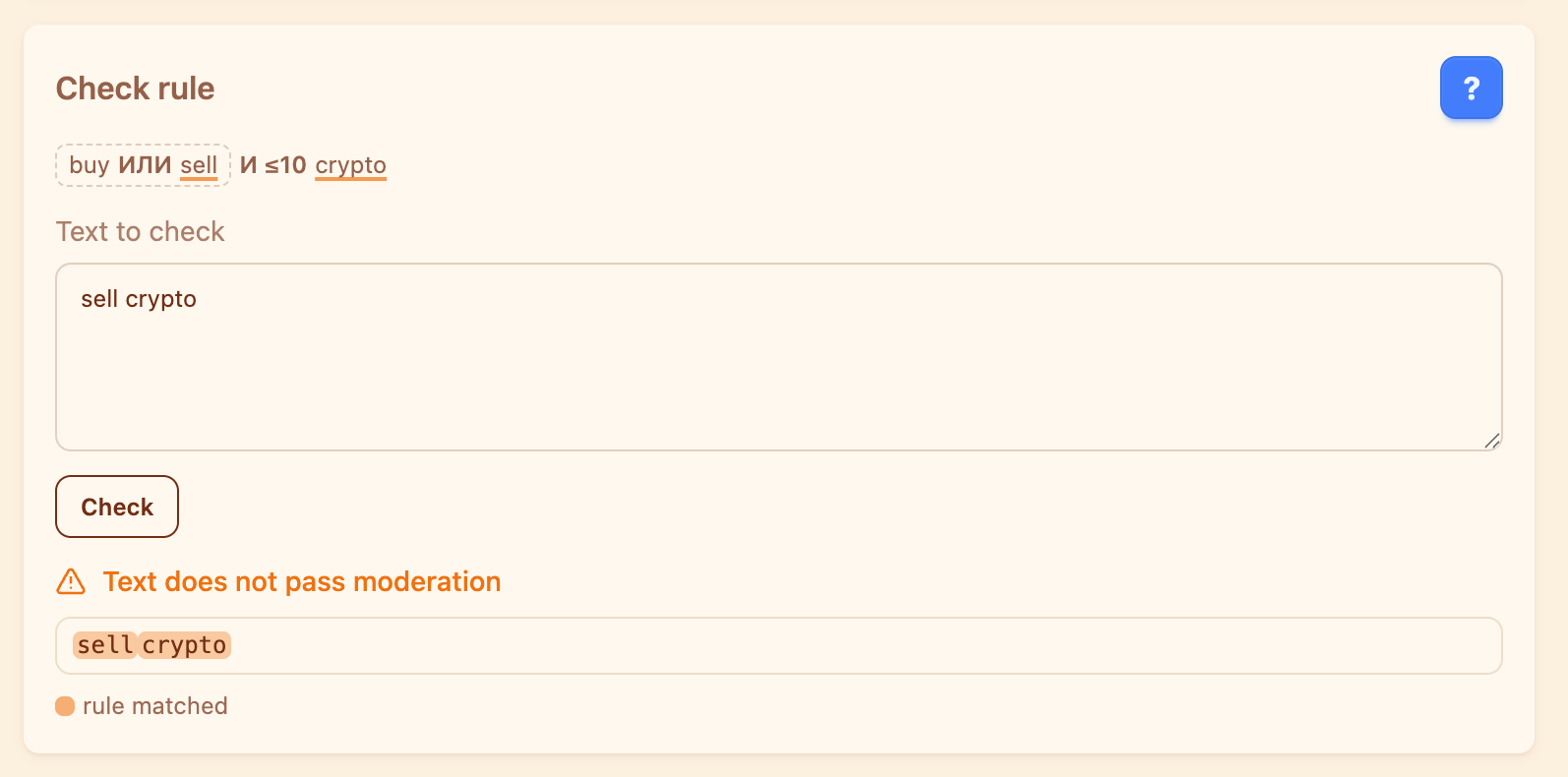
Checking saves nothing and punishes nobody — it only shows whether the rule would have fired on this text.
Why a rule deletes nothing: sanctions live on the set#
The sanction chain is defined on the set only: “after N violations — a warning, after the next one — a mute”, and so on. Neither a single rule nor the block as a whole has a chain of its own — the set is the unit you assign severity to. That is why rules are worth sorting into sets: “Crypto”, “Channel ads” and “Profanity” are punished differently.
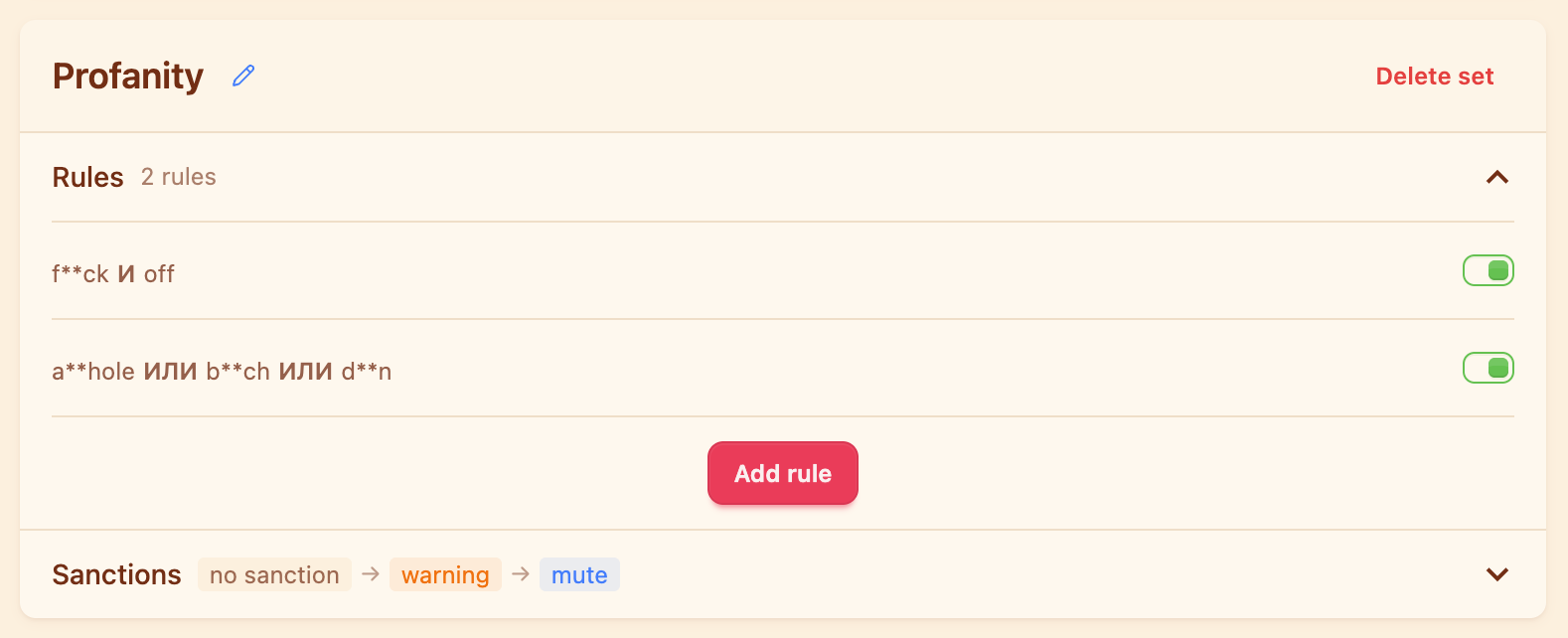
The rules of a set are listed one by one, and its sanction chain sits at the bottom of the card.
If a set has no sanctions configured, its rules never fire at all — and nothing shows up in the log. The set looks alive but does nothing. When a rule “does not catch anything”, this is the first thing to check.
The “Own violation counter” checkbox in the rule editor is for when one rule must not drag the others along: its hits are counted separately and do not move the shared counter of the set. The flip side — switching the checkbox off deletes the counter collected for that rule, and escalation starts over.
What is checked, and when#
- The message text and the media caption are checked. A message with no text is untouched by the text layers.
- Edited messages are checked again — editing does not help.
- Chat admins and members on the user whitelist are skipped before any check: no hits, no counters.
- The layers run in order: length → duplicates → phrases → regular expressions → links. The first layer that fires ends the check, so a message caught by length or duplicates never reaches the phrases.
- If several phrase rules match, the first one in order is credited — it decides the set, and with it the sanction chain.
In the moderation log a hit is shown as “Phrases: name of the set”, along with the rule that matched and the escalation step the member ended up on.
Plan limits#
On the Limited tariff no more than ten phrase rules work at a time: the switch on the set card picks which of them are active. The number of sets themselves is not capped. On Base there are no limits on phrases, and that is also where regular expressions and per-topic settings for forums live. What each tariff includes is on the pricing page.
Frequently asked questions#
How do phrase rules differ from plain stop words?
A stop word is banned on its own. A phrase rule can demand several words near each other, allow synonyms through OR, take order into account, and stay silent when the message contains an exception. That way it disturbs ordinary conversation far less often.
How do I block profanity in a Telegram chat?
Create a separate set — “Profanity”, say — put rules with the spelling variants joined by OR into it, and give the set a sanction chain. As long as the set has no sanctions, its rules do not fire.
Why does my rule delete nothing?
Most often the set has no sanction chain. Other reasons: the “Phrase moderation” block is switched off; the message was caught by an earlier layer — length or duplicates; the author is a chat admin or on the user whitelist; on the Limited tariff the rule did not make it into the ten active ones.
Are words with spaces and swapped letters caught?
Yes. Before matching, spaces, emoji and punctuation are stripped from the text, and stray digits or letters from another alphabet inside a word are folded back. So “s p a m”, “s.p.a.m” and “spam” are all the same thing to a rule.
Are photo captions and edited messages checked?
Yes. Rules look at the message text and the media caption, and an edited message is checked again — editing does not save it.
Short checklist#
- The set has a sanction chain — otherwise its rules stay silent.
- “Up to n characters” is not 0, if you meant “nearby”.
- Word order matters — “Strict order” is on.
- Short phrases like “ban” are narrowed with an AND link, so they miss “banana”.
- The rule was tested on a real message in the “Check rule” card.
- Your own announcements are moved into an exception.
More guides on moderating Telegram groups are in the Scarabeus journal.
Read next
 Guides5 min read
How to moderate a Telegram forum topic by topic
How to give each forum topic its own rules, why a topic can only be stricter than the forum, and what the General topic really is.
 Guides5 min read
How to tell the bot in your own words what to delete
AI moderation rules are written in plain text. How to phrase them, what the model sees, and how to test a rule in the simulator.
 Guides4 min read
Why the bot deleted your message, and how to contest it
How a member finds the reason with /why, how to file an appeal, and how an administrator handles complaints without digging through the chat history.