
How to tell the bot in your own words what to delete
AI moderation rules are written in plain text. How to phrase them, what the model sees, and how to test a rule in the simulator.
Phrase rules require you to list the words. AI moderation works differently: you describe what counts as a violation in plain text, and the model recognises it in any wording, including ones you never anticipated.
That sounds like you can write anything at all. In practice some phrasings work and others stay silent, and the difference is predictable.
Where to set it up#
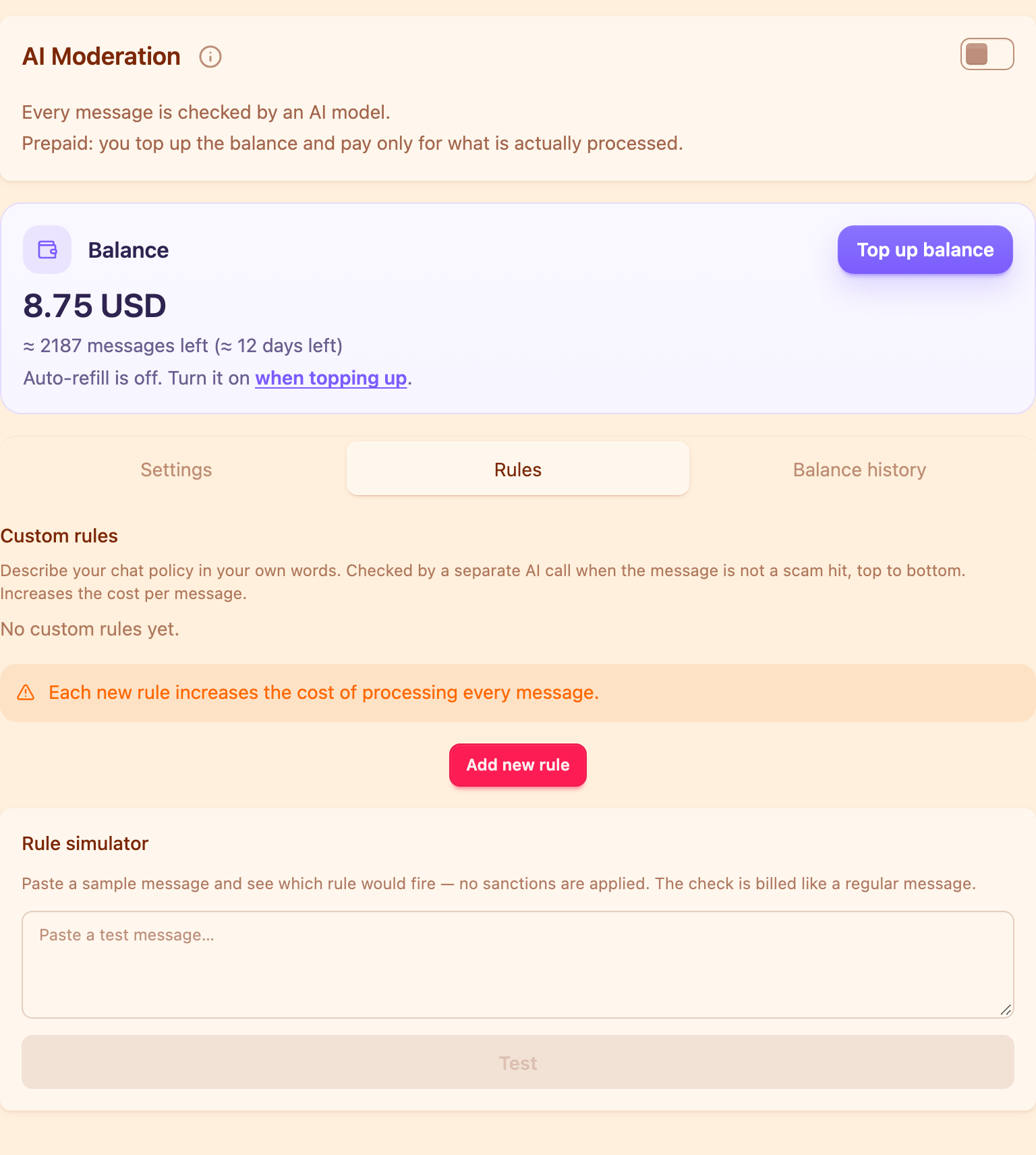
Moderation section → the AI moderation card → the Rules tab. Your rules work on top of the built-in topics: the topics catch scams, phishing and gambling ads, your rules catch what is out of place specifically in your chat.
A rule describes what to catch#
The first thing to understand: a rule is a description of a violation, not an instruction to the bot. What happens to a match is decided by the punishment chain, as in every other block.
So not "delete messages with advertising", but simply "ads for other channels and invitations to other communities".
Good phrasings look like this:
- messages with profanity or insults;
- job and earning offers, including "DM me" and links to job channels;
- sale listings for anything other than fishing tackle and bait;
- money collections, card details and requests to chip in;
- discussion of politics, elections and war news;
- getting personal — discussing members themselves rather than their messages.
Exceptions go in the same place and in the same words: "talking about your own job is not a violation".
What the model knows about a message#
Only its text. Not the chat's name, not the community description, not the author, not the time of day, not what was written earlier.
Hence the classic beginner's mistake: phrasings like "off-topic", "not relevant to the chat", "flooding in the wrong thread". To the model these are empty words — it has nothing to compare against. Spell out specifically what counts as unwelcome in your chat.
For the same reason, rules about people and timing are pointless: "messages from new members", "advertising at weekends". The first is handled by trust levels, the second cannot be handled at all.
A rule gets 500 characters, which is enough for a description with a couple of exceptions.
Sensitivity#
Every rule offers a choice of two modes:
- Precise — react only when the model is confident;
- Sensitive — react on medium confidence too.
The logic is simple: the higher the cost of a false positive, the stricter the mode. Profanity is recognised unambiguously, so sensitive works. "Getting personal" is subjective, so precise is safer — otherwise the bot starts clearing out ordinary arguments.
Rule order#
Rules are checked top to bottom, and the order is changed with arrows. Put the more important and more specific rule higher: the first matching rule wins, and its name is what ends up in the log.
One more detail: your rules run as a separate check, and only if the message did not land in one of the built-in scam topics. Outright scams never reach your rules.
Use the simulator#
Next to the rules there is a simulator: you paste an example message and see which rule would have fired and with what confidence. No punishment is applied.
Two caveats: the check is billed to the balance like an ordinary message, and only your own rules take part — built-in topics are not tested in the simulator.
A working routine: write the rule, run five or six real messages from your chat through the simulator — both violations and similar harmless ones — adjust the wording, and only then assign punishments.
How many rules to keep#
Fewer than you would like. Every rule takes part in checking every message and makes processing more expensive; the dashboard warns you about that outright, and the ceiling is twenty rules per chat.
Three to five is usually enough: they cover what genuinely gets in the way, and the built-in topics pick up the rest.
Your own rules are the top floor. What belongs underneath: how to protect a Telegram group from spam.
How do I write a rule for AI moderation?
Describe in plain text what counts as a violation — for example "ads for other channels". Do not write instructions like "delete" or "ban": what happens to a match is decided by the punishment chain.
Will a rule saying "delete off-topic messages" work?
No. The model only sees the message text and does not know what your chat is about, so it has nothing to compare the message against. Spell out specifically what counts as unwelcome.
What is the difference between "Precise" and "Sensitive"?
Precise reacts only on high model confidence, sensitive also on medium. Use sensitive for unambiguous things like profanity and precise for subjective ones.
How many rules can I create?
Up to twenty per chat. But every rule makes processing every message more expensive, so three to five is usually enough.
Does a simulator check cost money?
Yes, it is billed to the balance like an ordinary message. No punishment is applied.
Read next
 Guides5 min read
How to moderate a Telegram forum topic by topic
How to give each forum topic its own rules, why a topic can only be stricter than the forum, and what the General topic really is.
 Guides4 min read
Why the bot deleted your message, and how to contest it
How a member finds the reason with /why, how to file an appeal, and how an administrator handles complaints without digging through the chat history.
 Guides3 min read
Bot commands in a Telegram group: the full list
Ban, mute and delete straight from the chat, as a reply to the offender. The full command list, duration formats and who can call what.