
How to block links in a Telegram group
Domain allowlists and blocklists, subdomains, links with a path, and different punishments for different links. Which mode to pick and why.
A link is a spammer's everyday tool: a channel, a landing page, an invite to a "private club". Banning links outright solves the problem in one line and immediately creates another: members stop sharing articles, and admins stop sharing documentation.
So in Scarabeus links are not configured with a "no" switch but with lists.
Where to set it up#
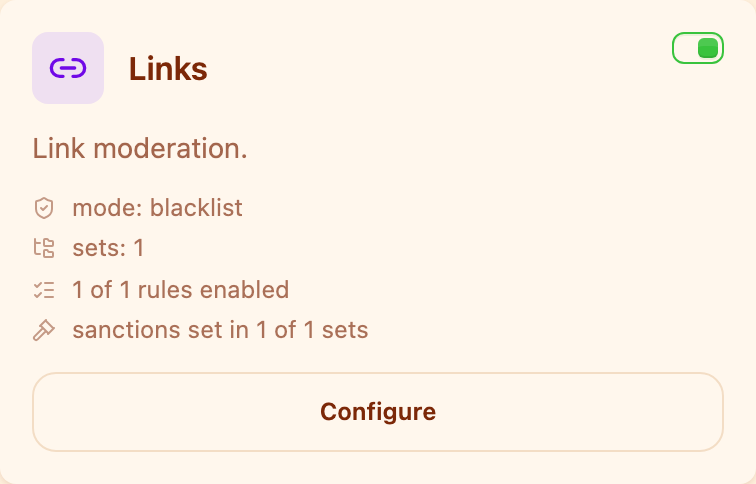
Moderation section → the Links card. The toggle switches the block on, the "Configure" button opens the lists and the modes.
Two modes#
Allowlist — only the listed domains are permitted, any other link counts as a violation. This is the strict mode for chats where links are not really needed: the project's channel, the documentation, and that is it.
Blocklist — the opposite: only the listed domains are forbidden, everything else goes through. This is the mode for a living community where links are normal and you are fighting specific junk.
In both modes a message without links always passes — the block does not even look at text that contains no links.
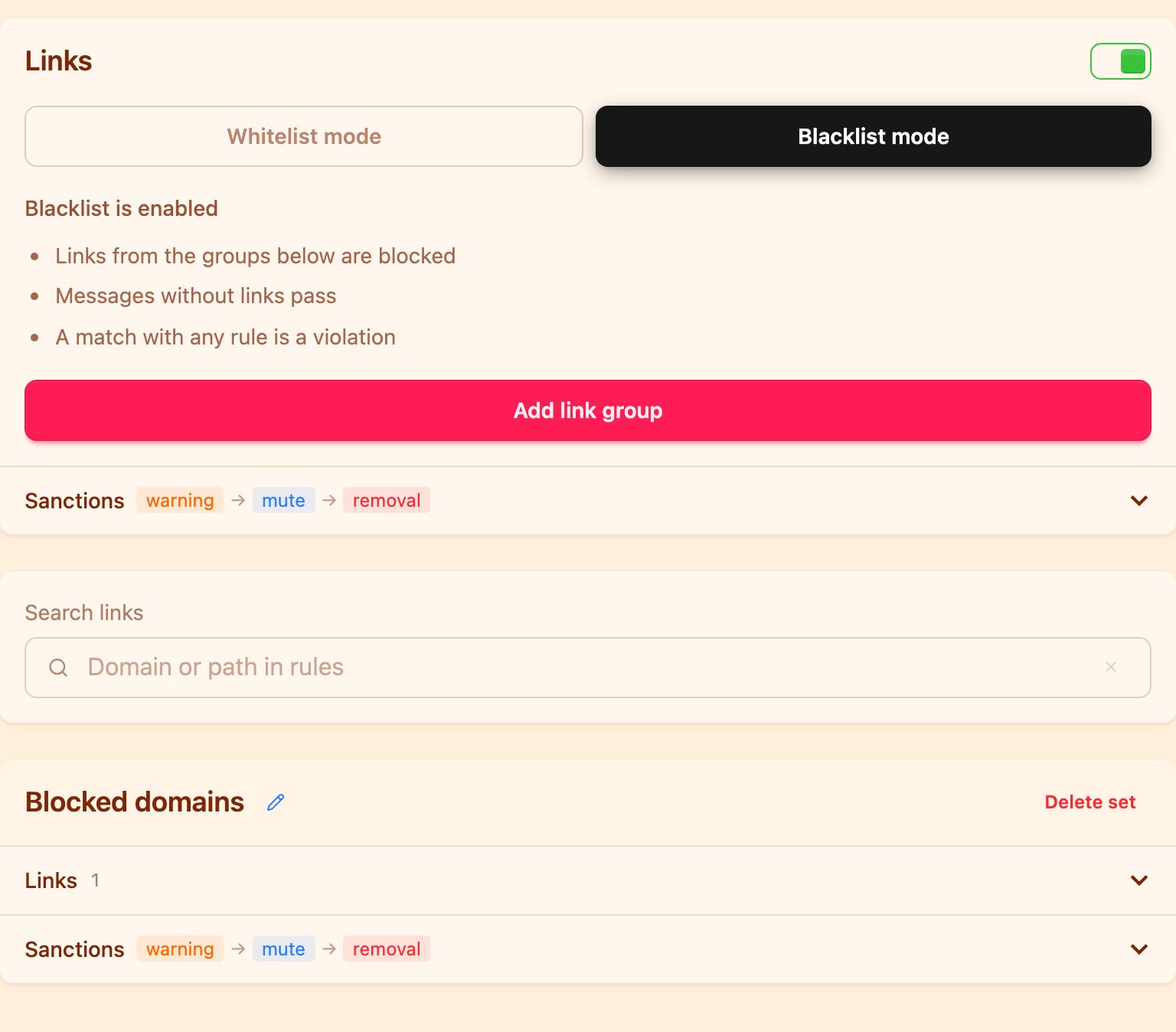
The mode is switched at the top, and right below it you see what that mode means.
Choosing between the modes is choosing what to do with an unfamiliar domain. An allowlist assumes the unfamiliar is dangerous; a blocklist assumes it is fine. A chat of a couple of hundred people almost always wants the blocklist; a support announcement channel wants the allowlist.
How a rule is written#
A rule is a domain, optionally with a path:
t.me
example.com
t.me/durov
Everything superfluous is stripped on save: the protocol, www., the port, the
query after ?, the anchor after #, the trailing slash. So
https://www.Example.com/ and example.com are the same rule, and you do not
have to guess which form a spammer will use.
If a path is given, the rule fires on exactly that path: t.me/durov does not
touch other t.me links. Handy when you want to allow a single channel without
opening up all of Telegram.
There is a separate "include subdomains" checkbox. With it, a rule for
example.com also covers promo.example.com and go.example.com. Without it,
only an exact host match. For a blocklist it is usually worth enabling: spammers
spin up subdomains by the dozen.
Groups and different punishments#
Links, like phrases, are organised into groups, and each group has its own punishment chain. That is the main reason to split lists rather than pile everything into one.
A practical example. One group holds competitors and dubious shops: deleting the message and a warning is enough. Another holds scam domains and porn sites: an immediate ban. The violation counters are separate, so three links to a competitor will not add up to a scam-level ban.
Each mode has a chain of its own as well, for the "any outside link" case in the allowlist.
Common mistakes#
A list with no punishments. A group without a punishment chain does not fire at all: the bot finds the link and does nothing. This is the number one reason behind "the rule does not work".
An allowlist without t.me. If your chat lives in Telegram, members will
forward links to channels and messages. Decide in advance whether that is a
violation.
Forgotten subdomains on a blocklist. The domain is blocked but spam keeps
coming from new.domain — the "include subdomains" checkbox fixes that.
The Limited plan caps how many links each mode can hold; on the Base plan there is no cap.
Links are one of six setup steps. The rest are in the overview: how to protect a Telegram group from spam.
How do I block all links in a Telegram group?
Switch on the "Links" block, choose allowlist mode and add nothing to it except the domains you want to permit. Any other link becomes a violation. Remember to give the group a punishment chain — without one the bot does nothing.
Can I allow one channel but block other t.me links?
Yes. Add a rule with a path to the allowlist — for example t.me/durov. A rule with a path fires only on that path, not on the whole domain.
What about subdomains?
By default a rule matches the exact domain only. Enable the rule's "include subdomains" checkbox to cover them too.
Will the bot delete an administrator's link?
No. Chat administrators and members on the allowlist bypass moderation rules.
Can different links be punished differently?
Yes, that is what the groups are for: the punishment chain belongs to the group, and the violation counters of different groups never mix.
Read next
 Guides5 min read
How to moderate a Telegram forum topic by topic
How to give each forum topic its own rules, why a topic can only be stricter than the forum, and what the General topic really is.
 Guides5 min read
How to tell the bot in your own words what to delete
AI moderation rules are written in plain text. How to phrase them, what the model sees, and how to test a rule in the simulator.
 Guides4 min read
Why the bot deleted your message, and how to contest it
How a member finds the reason with /why, how to file an appeal, and how an administrator handles complaints without digging through the chat history.