
How to give a moderator dashboard access, not everything
Permissions are granted one at a time: logs without settings, bans without unbans, appeals on their own. Who should get what.
Telegram's own administrator rights are coarse: if someone can delete messages, they can ban too. There is no way inside Telegram to say "let them look but not touch".
In the Scarabeus dashboard the rights are sliced finer, and this is a case where five minutes of setup pays off.
Where to set it up#
The Permissions section. Only the chat owner sees it.
The list contains the chat's Telegram administrators: the dashboard pulls it through the bot. The owner always has full access and is not configured in the list. If the list does not load, it usually means the bot is not in the chat or has lost its rights.
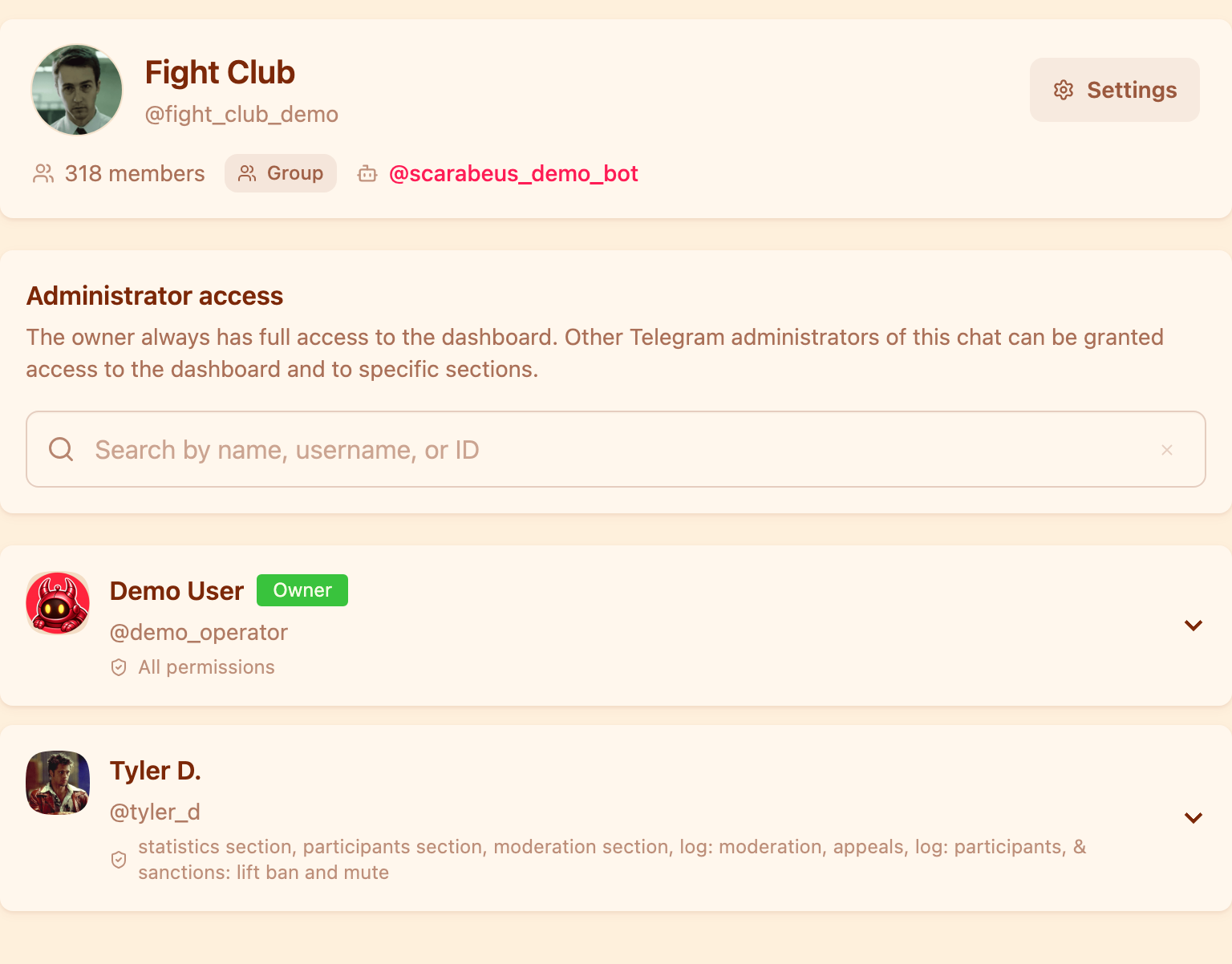
Under each administrator you can see exactly what has been opened to them.
The distinction matters: Telegram admin rights and dashboard access are different things. Being an administrator in the chat does not automatically open moderation settings, logs and appeals. Every item is granted separately and revoked just as separately.
What the permissions are#
| Permission | What it opens |
|---|---|
| Moderation section | viewing and changing rules, punishment chains, exceptions |
| Members section | the member list, search, the member page |
| Statistics section | the summary tab and the charts |
| Log: moderation | rule matches and automatic punishments |
| Log: members | joins, messages, reactions and punishments in one feed |
| Punishments: ban, mute, kick | issuing punishments from the dashboard |
| Punishments: lift ban and mute | lifting punishments |
| Appeals | viewing and handling member complaints |
| Moderation alerts in Telegram | the bot writes to you when a punishment goes to review |
The same permissions govern commands in the group: someone without the
punishment permission will not ban with /b, even if they are an administrator of
the chat.
Who should get what#
An on-duty moderator — members, both logs, punishments and lifting them. They do not need moderation settings: their job is to react, not to change the rules. As a bonus, an accidental edit to a punishment chain at three in the morning becomes impossible.
Whoever tunes the rules — the Moderation section and the moderation log. The log is mandatory here: without it they are editing rules blind and cannot see what those rules caught.
Handling complaints is best given to one person: appeals plus the moderation log so they can see the context of a punishment. The permission to lift punishments is needed too, if they are meant to see a decision through themselves.
An observer — statistics and, if needed, the logs. No punishments, no settings.
One permission deserves a separate mention: "Moderation alerts in Telegram". It is worth enabling for the people who will actually react quickly. If a punishment chain has a "send to administrators for review" step, the bot sends those cards to direct messages — and it helps if they go to the person on duty rather than to the entire admin list.
Worth remembering#
Revoking a permission takes effect immediately: the section disappears the next time that person opens the dashboard.
The Permissions section is part of the Base plan. On Limited, permission management is switched off and only the owner works with the dashboard.
What exactly you are letting a moderator configure is covered in the overview: how to protect a Telegram group from spam.
Can I give dashboard access to someone who is not a chat administrator?
No. The list you grant from is the chat's Telegram administrators. Make the person an administrator of the group first, then grant them the items they need in the Permissions section.
If I let a moderator ban people, can they also change the rules?
No. Those are separate items: "Punishments" opens issuing punishments, "Moderation section" opens editing rules. Either works fine without the other.
Who receives punishment alerts in direct messages?
The chat owner and those administrators who have "Moderation alerts in Telegram" enabled. The bot writes to them when a "send to administrators for review" step fires.
Why does the administrator list fail to load?
The dashboard gets it through the bot. Check that the bot is in the chat and still an administrator.
Read next
 Guides5 min read
How to moderate a Telegram forum topic by topic
How to give each forum topic its own rules, why a topic can only be stricter than the forum, and what the General topic really is.
 Guides5 min read
How to tell the bot in your own words what to delete
AI moderation rules are written in plain text. How to phrase them, what the model sees, and how to test a rule in the simulator.
 Guides4 min read
Why the bot deleted your message, and how to contest it
How a member finds the reason with /why, how to file an appeal, and how an administrator handles complaints without digging through the chat history.