
How to remove "joined the group" messages in Telegram
Telegram itself announces who joined, left and changed the group photo. How to remove those notices for everyone, and which to keep.
In a chat with a thousand members Telegram turns the feed into a logbook: "@user joined the group", "@user left the group", round and round all day. Real conversation gets lost between those lines, and on a phone you have to scroll past them as well.
You cannot delete such a notice by hand — or rather you can, but only your own and one at a time. What you can do is stop them from being shown at all: the bot takes care of that, and it does it for every member at once.
Where to switch it on#
Moderation section → the Service messages card. The toggle on the card switches the whole block on, and the "Configure" button opens the list of exactly what to remove.
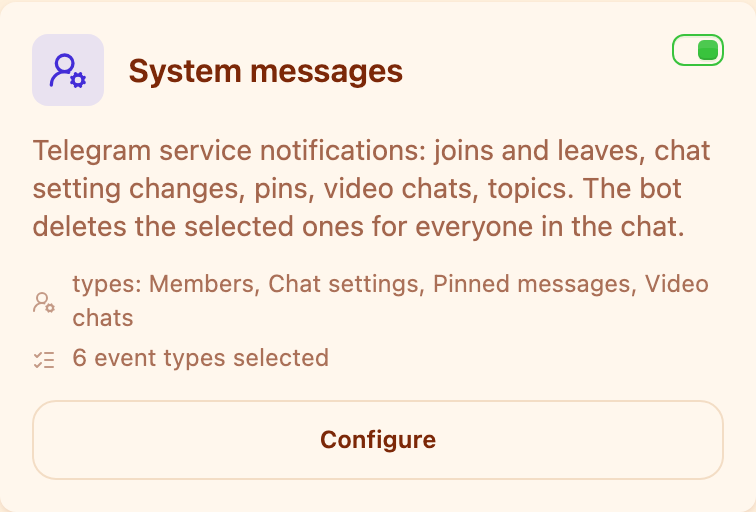
The card shows at a glance how many event types are selected.
The block is available on every plan, including Limited — this is not a paid feature.
What the bot needs#
One condition: the bot must be an administrator with the right to delete messages. Without it the bot sees the notices but can do nothing about them, and the block stays switched on for nothing.
Checking is easy: open the group's administrator list in Telegram and make sure "Delete messages" is enabled for the bot.
What you can remove#
There are more notices than you would think — twenty-eight types in total, sorted into six groups. Each one is switched on separately, so you can clear the noise and keep whatever actually matters in your chat.
| Group | What it covers |
|---|---|
| Members | joins, leaves, a member removed by an administrator |
| Chat settings | title change, photo change, photo removal, new background, auto-delete timer |
| Pinned messages | the notice about a message being pinned |
| Video chats | scheduled, started, ended, participants invited |
| Topics (forum) | topic renamed, closed and reopened, the "General" topic hidden and shown |
| Other | group ownership change, boosts, giveaways, checklists, paid message price |
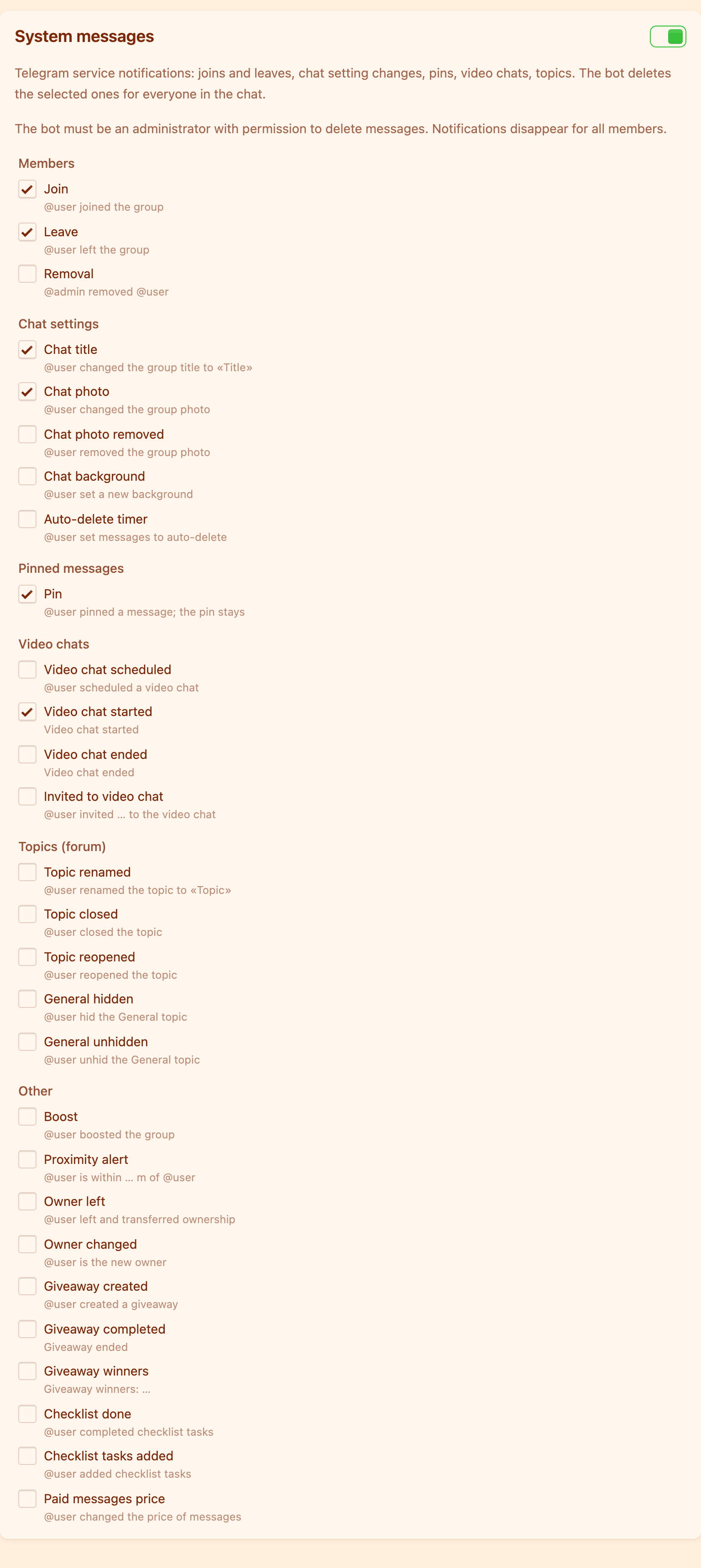
Every type comes with an example of how the notice looks in the chat — no guessing from the name.
What to remove and what to keep#
There is no single correct setup, but there is a habit that works in most chats.
Joins and leaves are almost always worth removing. They are the biggest source of noise and carry no information: who arrived is obvious from their first message, and who left interests nobody. In a chat with more than a hundred people this alone gives the feed its readability back.
A member removed by an administrator is worth judging by your own chat. In an open community those lines provoke "and what was that for" arguments and usually get removed. In a work chat, on the contrary, it is useful transparency.
Title, photo and ownership changes are usually kept: they are rare events and should be noticeable — not least so that an attempt to take the group over does not go unseen.
Pin notices are a matter of taste. What matters is that only the "@user pinned a message" line is removed; the pinned message stays pinned and goes nowhere.
What this block does not do#
It does not touch members' own messages — those are other moderation blocks. It does not cancel the event itself: people still join the group, the chat just stops announcing it.
And it can do nothing about old notices already sitting in the history: the bot removes them as they appear and does not go back through the past.
This is only clearing the noise. The other protection blocks and the order to enable them are in the overview: how to protect a Telegram group from spam.
How do I remove "user joined the group" in Telegram?
Switch on the "Service messages" block in the Moderation section and tick "Join" in the "Members" group. The bot must be an administrator with the right to delete messages. The notices will stop appearing for everyone in the chat.
Can I remove these notices without a bot?
No. Telegram offers no such setting in the group itself: service messages are sent by the messenger, and only an administrator can delete them — which is to say a bot, doing it automatically.
If I remove the pin notice, will the pinned message disappear?
No. Only the "@user pinned a message" line is removed. The pinned message itself stays where it is.
Will the notices disappear only for me or for everyone?
For everyone. The bot deletes the message from the chat rather than hiding it just for you.
What about old notices already in the history?
They stay. The bot handles events as they happen and does not walk back through the history.
Read next
 Guides5 min read
How to moderate a Telegram forum topic by topic
How to give each forum topic its own rules, why a topic can only be stricter than the forum, and what the General topic really is.
 Guides5 min read
How to tell the bot in your own words what to delete
AI moderation rules are written in plain text. How to phrase them, what the model sees, and how to test a rule in the simulator.
 Guides4 min read
Why the bot deleted your message, and how to contest it
How a member finds the reason with /why, how to file an appeal, and how an administrator handles complaints without digging through the chat history.